I need to recalibrate vision sensors thru the Assistant software. I’ve downloaded it without any antivirus etc.
I assume you mean that you disabled Windows' Real-time protection, yes?
I’ve also remov d the “signed” digital drivers requirement on my system so that won’t interfere with the full download but it’s still not going past the initial screen upon connecting the drone.
Have you disabled adblock software? This will often prevent the download window from opening.
Which browsers are you using? Try different browsers. Some browsers will simply not work for some things in some situations with little or no explanation other than "others have had the same complaint." For this reason I have three browsers that I use.
I’ve confirmed the chord is a data chord (I use when flying the drone) and the startup sequence is correct but I’m getting no response and can’t move forward.
You lost me here. I thought this post was about the inability to download and install the Assistant 2 software on your Windows machine. You wrote, "I’ve also remov d the “signed” digital drivers requirement on my system so that won’t interfere with the full download but it’s still not going past the initial screen..."
I gather this to mean "the download is failing/has failed." Did the download work or not? Did you get the Assistant 2 software downloaded and installed??? I'm lost.
Sucks there’s like zero work around for this either. My laptop is a new Dell running windows 11. Not sure what else to do for this to actually work.
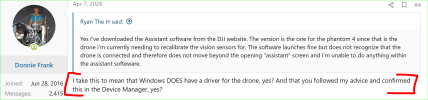
Okay...assuming that you DID download and install the Assistant 2 software, this takes my advice/support in a completely different direction.
When you plug the drone into the laptop Windows should install a driver for that drone. You'll hear the "new device" sound Windows makes when you plug in new devices. If Windows doesn't have or can't find a driver for your drone, it make a second sound to let you know that it doesn't have a driver for that device.. Driver installation is easily confirmed in the Device Manager.
To be clear, using Assistant 2 software is a 2-step process;
1) Making sure Windows has a driver for the drone.
2) Connecting the Assistant 2 software to the drone.
It sounds like you have skipped the first step.
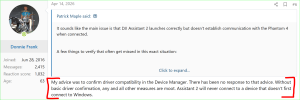
BEFORE opening the Assistant 2 software, CONFIRM that your drone is indeed connected to Windows. If not, you will need to download and install drivers to do so.
D