Hello everyone,
I was flying my
I2 the other day on a construction site. I'm doing a construction progression video. Using Litchi for an autonomous flight, which I've flown before. All of a sudden my controller says disconnected. The drone kept flying the mission and stopped at the end. It wouldn't respond to input so I had to turn off the controller and then turn it back on. Landed the drone. Anyone know what's going on?
First, for clarification, unless Litchi flat-out crashed, I'm going to guess that this had nothing to do with Litchi, and more to do with the drone itself. I think it's important to make that distinction. That said....
The symptoms you described have happened to me with my Inspire 1. This occurred in a microwave saturated environment. Even with the 32-channel hack and signal boosters, there was this one job with a massive 2.4Ghz tower on top of a building with planer antennas that I had to avoid like the plague.
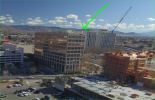
I had to program my flights to stay out of the field-of-view of these towers. This was most difficult to do for the strafe missions. As the building got taller and taller, it naturally forced a gain in altitude, which naturally pushed my drone further and further into the microwave no-go zone. My solution was to fly OVER the microwave saturation zone. Because of the crane they used, I had to fly higher than I normally would anyway (160' AGL if memory serves). I believe the tower was right around 90' AGL and the crane was around 140' tall).
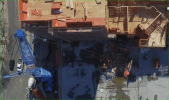
I had to be very diligent regarding the aim of my transmitter (I used parabolic reflectors to "aim" RF signal directly at the drone). And had to make sure the drone was in constant Line-of-Sight (not obstructed by the ever-growing building). Because the drone mission was directly controlled by the RC (as opposed to uploading waypoints) if I slacked in any way, shape or form, the drone would just stop and hover.
The solution for me, ironically, was the RTH button. Rebooting the RC didn't help. As you can imagine, the two times this happened were a bit panicky for me. Fortunately, I kept my composure and had enough battery left to calmly address the problem.
Don't ask why an RTH command would work but stick commands would not. It may have had something to do with the software I was using. Or maybe the fact that an RTH command is probably a very small data packet compared to the constant flow of data via joystick control.
My recommendation would be to do what I did:
1) Analyze the WiFi (Microwave) situation in your area.
2) Install parabolic signal boosters on your RC antennas and make sure you aim your RC directly at your Inspire.
3) Utilize the 32-channel hack (Google it if you don't know what that is. It may not be available for the
Inspire 2 version of the Go 4 app.).
4) Be diligent with your channel selection.
Best of luck.
D
P.S. I don't mind pointing you in the right direction. And I'm happy to answer questions that aren't readily available on the Internet. Please don't use me as a replacement for research. I don't mind helping but I DO mind hand holding. Questions like "What is the 32-channel hack?" will be duly ignored.